Stremio recently updated to version 2.0, so I downloaded it to see what's new. Apart from some minor UI changes, I didn't notice any improvement in playback performance. In fact, it got worse—videos started stuttering, and the audio was out of sync with the subtitles.
After digging into it, I found a couple of solutions that actually work.
Solution 1: Downgrade to an Older Version of Stremio
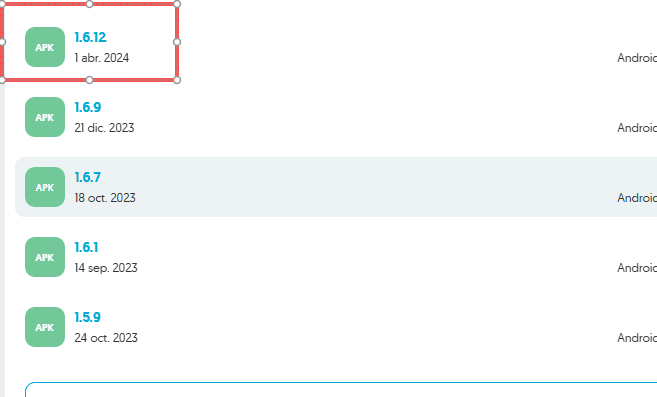
I switched back to Stremio 1.6.12, which I had been using before, and used the built-in EXP player. This fixed the stuttering issue. The built-in player doesn't have subtitles as nice-looking as VLC's, but it gets the job done smoothly.
You can download Stremio 1.6.12 here:
https://stremio-one.uptodown.com/android/versions
There are multiple versions available—just find 1.6.12 and download it.
Solution 2: Disable Hardware Acceleration in VLC
If you still want to enjoy VLC's superior subtitle rendering, try the following steps.
Steps:
- Open VLC.
- Go to Tools in the menu.
- Click Preferences.
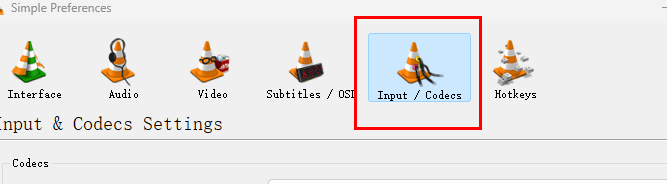
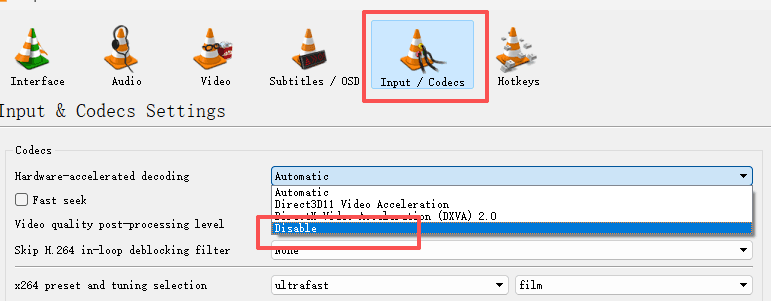
- Click Input/Codecs at the top.
Adjustment:
Change the hardware acceleration setting from "Automatic" to Disabled or Decoding acceleration.
See the screenshots below for reference:

Why this works:
Many freezing issues occur because the hardware decoding in newer versions of VLC conflicts with certain TV chipsets. Forcing software decoding (or partial acceleration) can often bypass this bug.