1. What is Debridio?
Debridio is a third-party integration layer that enhances how Stremio works with Debrid providers.
It allows you to:
- Filter low-quality releases (CAM, TS, etc.)
- Control returned link count per quality
- Limit file sizes
- Exclude unwanted resolutions
- Use only cached content
- Manage Debrid services through a unified API
- Install directly into Stremio via generated URL
In short: Debridio acts as a smart filtering layer between Stremio and your Debrid provider.
2. Subscription & Pricing
Visit:
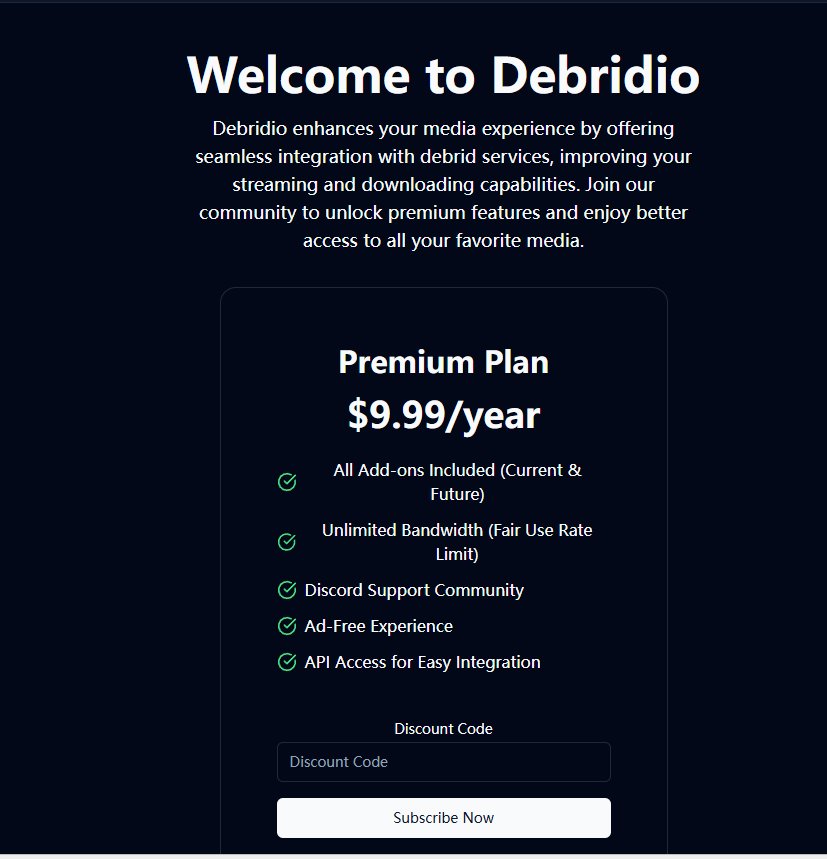
Premium Plan
- $9.99 per year
- All current & future add-ons included
- Unlimited bandwidth (fair use)
- Discord support
- Ad-free
- API access for integration
Important Disclaimer
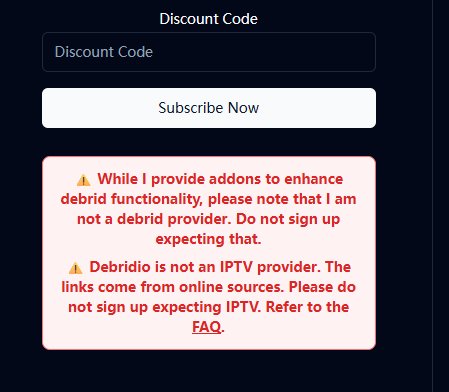
⚠ Debridio is:
- NOT a Debrid provider
- NOT an IPTV service
- It does NOT provide any media or streams
It only enhances integration with your existing Debrid account.
3. Addon Compatibility
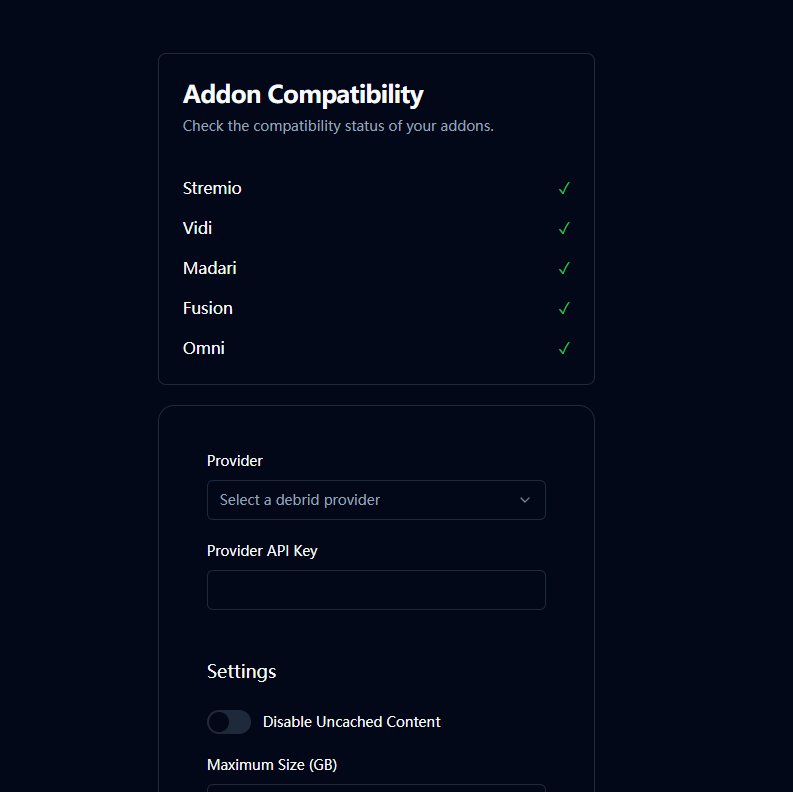
Currently supported platforms:
- Stremio
- Vidi
- Madari
- Fusion
- Omni
This guide focuses on Stremio integration.
4. Connecting Your Debrid Provider
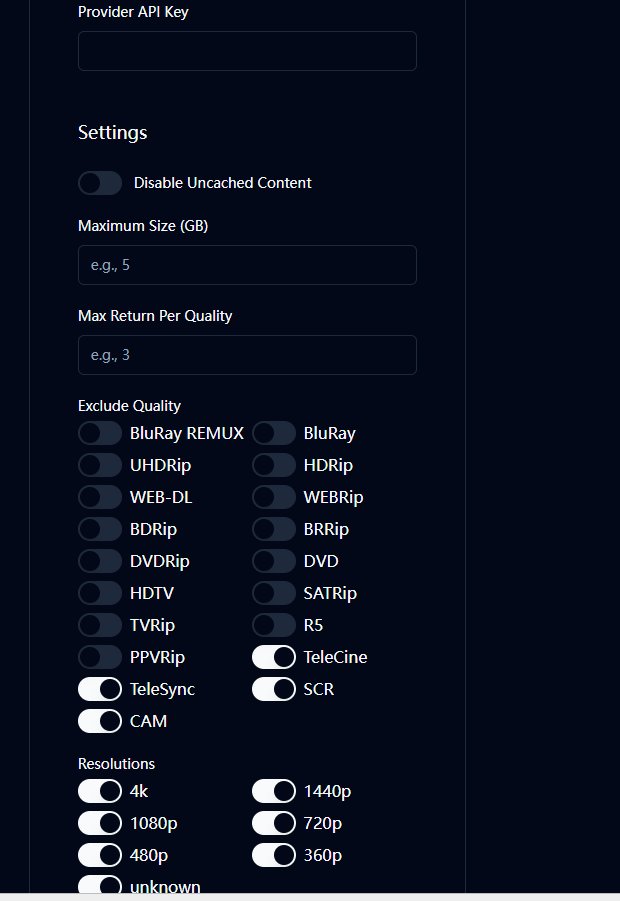
Step 1: Select Provider
Choose your Debrid provider:
- Real-Debrid
- AllDebrid
- Other supported providers
Step 2: Enter API Key
- Log in to your Debrid provider
- Navigate to API settings
- Generate an API token
- Paste it into Debridio
5. Settings Explained
![Advanced Settings]!(https://img.stremioaddonmanager.org/addons/ad42a12dc669.jpg)
Disable Uncached Content
- ON → Only returns cached content (recommended)
- OFF → May attempt uncached torrents (slower, less reliable)
✅ Recommended: ON
Reason:
- Faster playback
- Higher success rate
- Cleaner results
Maximum Size (GB)
Limits maximum file size returned.
Suggested values:
| Device Type | Recommended |
|---|---|
| Mobile / Tablet | 5GB |
| 1080p TV | 10–15GB |
| 4K TV | 25–40GB |
✅ General Recommendation: 15GB
Max Return Per Quality
Limits how many links per resolution are returned.
Example:
- 3 = 3 links per quality level
Recommended:
- 1080p → 3
- 720p → 2
- 4K → 2
Too many results can clutter Stremio.
Exclude Quality (Release Type Filtering)
Strongly recommended to disable:
- CAM
- TeleSync
- TeleCine
- SCR
- R5
Optional to disable:
- HDTV
- DVDRip
Recommended to keep:
- WEB-DL
- WEBRip
- BluRay
- BRRip
- UHD Rip (for 4K users)
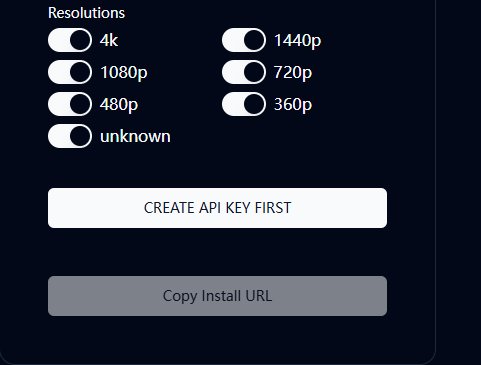
Resolution Filtering
Available:
- 4K
- 1440p
- 1080p
- 720p
- 480p
- 360p
- unknown
Balanced Setup (Recommended for Most Users)
Enable:
- 1080p
- 720p
Disable:
- 480p and below
- unknown
High Quality Setup (4K Users)
Enable:
- 4K
- 1080p
- 1440p
Disable:
- 720p and below
6. Recommended Configuration Profiles
Stable Everyday Setup
Disable Uncached: ON
Max Size: 15GB
Max Return: 3
Filter: CAM / TS / SCR / TeleCine
Resolutions: 1080p + 720p
Best for:
- Consistent playback
- Clean results
- Moderate bandwidth
4K High Quality Setup
Disable Uncached: ON
Max Size: 40GB
Max Return: 2
Filter low-quality sources
Resolutions: 4K + 1080p
Best for:
- Large screens
- High bandwidth connections
Lightweight / Mobile Setup
Disable Uncached: ON
Max Size: 5GB
Max Return: 2
Resolutions: 720p + 480p
Best for:
- Limited bandwidth
- Smaller screens
7. Generate API Key & Install in Stremio
After configuring settings:
Click:
CREATE API KEY FIRST
Then:
Copy Install URL
Installing in Stremio
- Open Stremio
- Go to Add-ons
- Select "Install via URL"
- Paste the copied URL
- Install
Done.
Debridio is now integrated into Stremio.
8. Troubleshooting
No streams showing?
Check:
- API key validity
- Debrid account status
- Over-filtered settings
- Cached-only enabled with no cached sources available
9. Final Notes
Debridio significantly improves:
- Stream reliability
- Link cleanliness
- Quality control
- Result organization
If you're already using Real-Debrid or similar services, this plugin provides a noticeable upgrade in usability and control.