When watching movies through Stremio, buffering issues can be frustrating. Personally, I prefer downloading movies locally so I can enjoy them later without waiting for streams to load.
Downloading movies through Stremio is actually quite simple.
PC Client
Requirements
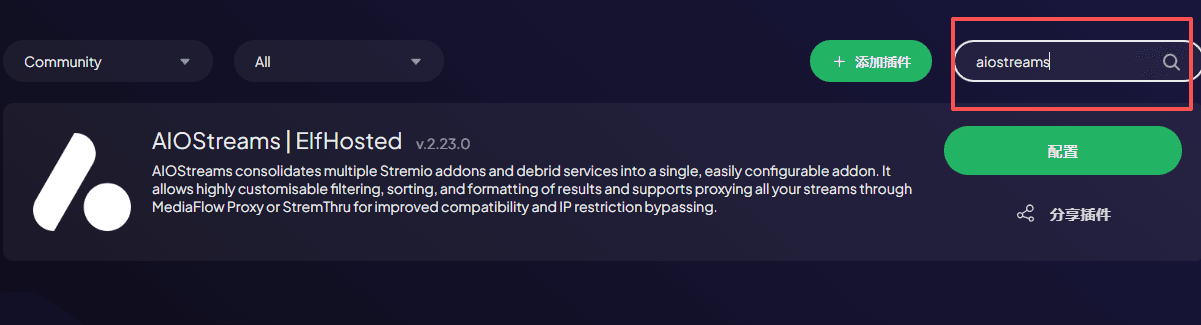
First, you need to install two Stremio addons:
- AIOStreams
- Torrentio
These addons allow you to see the actual video source links, making downloads possible.
Steps
- Open Stremio on your PC and install these two addons by searching their names directly
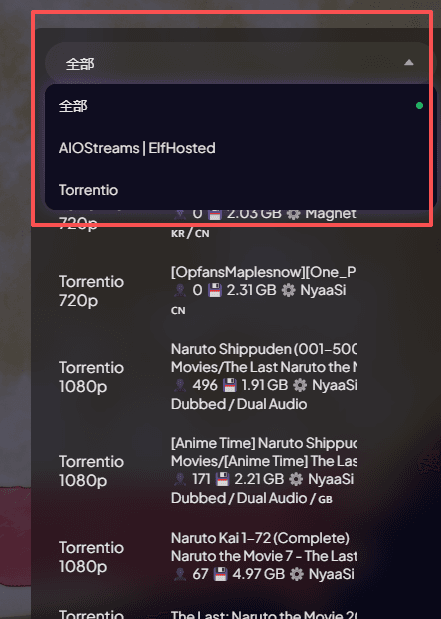
Search for the movie you want to watch and click on it. You'll see multiple data sources available
Select a source from AIOStreams or Torrentio
 )
)
- Right-click on the video and you'll see a "Download Link" option. Copy it and paste into your download manager or browser to download (if your network is slow, this may take a while)
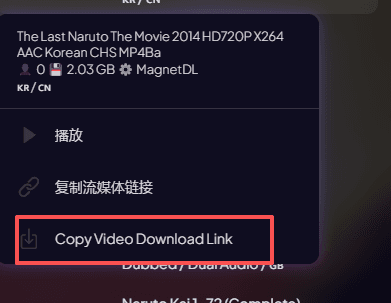
That's it - you can now download the video.
Mobile Client
The steps are the same for mobile devices.